
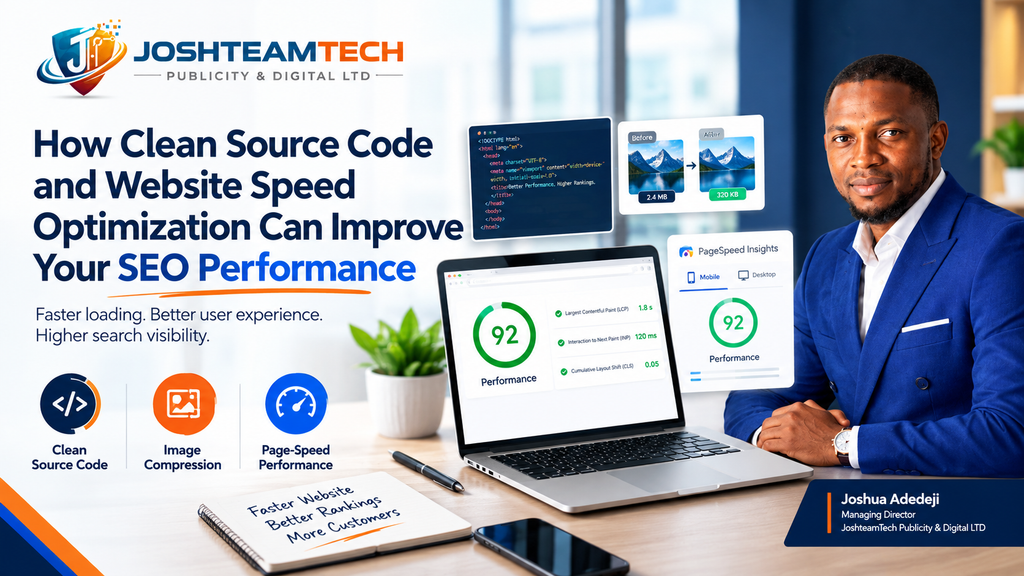
Introduction: Your Website May Be Losing Opportunities Before Visitors See Your Content
Imagine a potential customer clicking on your website after discovering your business through Google. They are interested in your product or service, but the page takes too long to load.
They wait a few seconds, become frustrated, and return to the search results to find another option.
That single experience could cost your business a valuable lead or sale.
Website performance is often overlooked when businesses invest in SEO. Many focus on keywords, backlinks, blog content, and social media traffic while ignoring the technical factors that influence how efficiently their websites load and respond.
However, a website’s performance is shaped by several interconnected elements, including source code quality, image file sizes, server response times, third-party scripts, and page structure.
Website speed optimization is not simply about making a website load faster. It is about creating a more accessible, efficient, and user-friendly experience that supports your broader SEO and conversion goals.
In this guide, we will explain how clean source code, image compression, and technical performance optimization work together, which tools you can use, and how to identify opportunities to improve your website.
1. What Is Clean Source Code, and Why Does It Matter for SEO?
Source code is the underlying set of instructions that tells a browser how to display and operate your website.
Depending on your website’s platform and architecture, this may include HTML, CSS, JavaScript, and other resources that control its layout, appearance, and functionality.
When a website contains unnecessary code, duplicated scripts, excessive styling, or poorly managed third-party resources, it may require more time and processing power to display and operate effectively.
This does not mean every long source-code file is bad or that shorter code automatically produces better rankings. What matters is how efficiently the website delivers useful content and functionality to visitors and search engines.
How inefficient code can affect website performance
Unnecessary JavaScript: Excessive or poorly optimized JavaScript can delay rendering, interfere with interactions, and consume browser resources.
Unused CSS: Stylesheets containing large amounts of unused code can increase the resources a browser needs to download and process.
Render-blocking resources: Certain scripts and stylesheets can delay the initial display of a page if they are not delivered and loaded appropriately.
Excessive third-party scripts: Advertising tools, tracking pixels, chat widgets, analytics platforms, and marketing integrations can add processing overhead.
Poorly structured HTML: Clear, semantic HTML helps browsers and assistive technologies interpret content and can support search engines in understanding page structure.
Practical ways to improve your source code
Start by reviewing the resources loaded on your most important pages.
- Remove scripts, plugins, and features that are no longer needed.
- Minify CSS and JavaScript where appropriate.
- Defer non-critical JavaScript when it is safe to do so.
- Reduce unnecessary third-party integrations.
- Use semantic HTML and a logical heading hierarchy.
- Avoid loading large resources that are not required for the page.
- Review your website theme and plugins for redundant functionality.
Important: Do not remove scripts simply because they appear unnecessary at first glance. Payment processing, accessibility features, analytics, forms, and other business-critical functions may depend on them. Test changes before deploying them to your live website.
The objective is not to achieve the smallest possible codebase. It is to deliver the same essential experience more efficiently.
2. How Website Speed Influences SEO Performance
Website speed matters because it affects how people experience your website.
A slow page can delay access to important information, make interactions feel unresponsive, and create friction during checkout or lead generation.
Google uses page experience signals, including Core Web Vitals, within its broader ranking systems. However, speed is not a guaranteed ranking boost, and improving one performance metric does not automatically move a page to the top of search results.
Relevant content, search intent, competition, website accessibility, and many other factors still matter.
Understanding the three Core Web Vitals
Google’s Core Web Vitals help website owners measure loading performance, responsiveness, and visual stability.
1. Largest Contentful Paint (LCP)
LCP measures how long it takes for the largest visible content element in the viewport to render.
This element may be a hero image, a prominent heading, or another large content block.
- Good: 2.5 seconds or less.
- Needs improvement: More than 2.5 seconds and up to 4 seconds.
- Poor: More than 4 seconds.
To improve LCP, examine server response times, optimize the main image, reduce render-blocking resources, and ensure important content can load efficiently.
2. Interaction to Next Paint (INP)
INP measures how responsive a page feels when a user interacts with it, such as clicking a button, opening a menu, or using a form.
- Good: 200 milliseconds or less.
- Needs improvement: More than 200 milliseconds and up to 500 milliseconds.
- Poor: More than 500 milliseconds.
Long-running JavaScript tasks can make a page feel sluggish even when its initial loading speed appears acceptable.
Consider breaking up long tasks, reducing unnecessary JavaScript, and simplifying complex interactions.
3. Cumulative Layout Shift (CLS)
CLS measures unexpected visual movement during a page’s lifetime.
For example, a visitor may try to click a navigation link, only for an advertisement or image to shift the content at the last moment.
- Good: 0.1 or less.
- Needs improvement: More than 0.1 and up to 0.25.
- Poor: More than 0.25.
To reduce layout shifts, reserve space for images and advertisements, specify image dimensions, and manage dynamically inserted content carefully.
These thresholds are assessed at the 75th percentile of page visits, separated by mobile and desktop where applicable.
Why these measurements matter to your business
Consider an e-commerce store with an attractive product page but an unresponsive add-to-cart button.
The visitor may interpret the delay as a technical problem and abandon the purchase.
Similarly, a service business may lose a potential lead if its contact form is difficult to use on mobile.
Improving Core Web Vitals will not guarantee additional sales or higher rankings. It can, however, remove technical friction that makes it harder for visitors to engage with your business.
3. Four Image Compression Tools Worth Using
Images help communicate your brand, demonstrate products, and make content more engaging. Unfortunately, large image files can also contribute to slow-loading pages.
The solution is not to remove every image. It is to deliver the right images in appropriate dimensions and efficient formats.
Here are four tools worth considering.
Tool 1: TinyPNG
TinyPNG provides image compression for common formats, including PNG, JPEG, and WebP, with supported features depending on the tool and workflow.
It is useful for business owners, bloggers, and e-commerce teams that need to reduce image file sizes without manually adjusting numerous technical settings.
Best for: Quick, straightforward image compression.
Website: https://tinypng.com/
Tool 2: Squoosh
Squoosh is a browser-based image optimization tool that allows users to compare image quality and file size while experimenting with different compression settings and formats.
It is particularly useful when you want more control over the balance between image quality and performance.
Best for: Manual optimization and comparing image formats.
Website: https://squoosh.app/
Tool 3: ShortPixel
ShortPixel offers image optimization tools and integrations for websites, including WordPress workflows.
Depending on the configuration, it can help optimize existing images and images added in the future, reducing the need for repetitive manual work.
Best for: Websites that need a more automated image optimization workflow.
Website: https://shortpixel.com/
Tool 4: ImageOptim
ImageOptim is a desktop image optimization application for macOS that reduces file sizes by removing unnecessary data and optimizing image encoding.
It can be useful for designers and content teams preparing images before uploading them to a website.
Best for: Mac users who want to optimize images before publishing.
Website: https://imageoptim.com/
Which tool should you choose?
The right tool depends on your platform, publishing workflow, budget, and image volume.
For occasional image uploads, a manual tool may be sufficient. For a large WordPress website or online store, an automated workflow may save time and help maintain consistency.
Regardless of the tool, remember these additional practices:
- Use appropriately sized images rather than uploading enormous originals.
- Consider WebP or AVIF when supported by your website and audience.
- Use responsive image delivery where appropriate.
- Avoid lazy-loading the main above-the-fold image when doing so would delay LCP.
- Lazy-load suitable below-the-fold images.
- Specify image dimensions to help prevent layout shifts.
- Use descriptive alt text when an image conveys meaningful information.
Compression is one part of image optimization. Correct dimensions, delivery strategy, and format selection matter too.
4. How to Test Your Website’s Page-Speed Performance
Before making changes, establish a performance baseline.
Without an initial measurement, it is difficult to determine whether an optimization has actually improved your website.
You do not need to be a developer to begin this process.
Step 1: Run Google PageSpeed Insights
Open Google PageSpeed Insights:
Enter the URL of a key page on your website and run the test.
Review both the mobile and desktop reports. Pay particular attention to Core Web Vitals, diagnostics, and opportunities related to images, JavaScript, CSS, and resource loading.
Remember that a laboratory test uses a controlled environment. Field data, when available, reflects the experiences of real users over time and can provide a different picture of performance.
Step 2: Review the actual user experience
Do not focus exclusively on a numerical score.
Ask practical questions:
- Does the main content appear quickly?
- Can visitors navigate the page without delays?
- Do buttons and forms respond promptly?
- Does the layout remain stable as resources load?
- Is the mobile experience as usable as the desktop version?
A high performance score is useful, but the ultimate goal is a reliable experience for actual visitors.
Step 3: Identify the largest bottlenecks
Look for repeated issues across your most important pages.
If large images are consistently flagged, image optimization may be a good starting point.
If JavaScript is delaying interactions, review scripts and plugins.
If server response times are high, investigate hosting, caching, backend processing, and content delivery.
Step 4: Make changes incrementally
Avoid making numerous untracked changes at once.
Address the most significant issues first, retest the page, and confirm that essential functionality still works.
This approach helps you understand which changes deliver meaningful improvements and reduces the risk of breaking your website.
Step 5: Monitor results over time
Use Google Search Console’s Core Web Vitals report, where available, to review field performance trends.
Monitor important landing pages, organic search traffic, engagement, form submissions, and sales.
Performance optimization should be an ongoing process rather than a one-time attempt to reach a perfect score.
5. A Practical Website Speed Optimization Checklist
Use this checklist when reviewing your website or preparing for a technical SEO audit.
Source code and scripts
- Remove unused plugins, scripts, and features.
- Minify CSS and JavaScript where appropriate.
- Review render-blocking resources.
- Reduce unnecessary third-party scripts.
- Check for long JavaScript tasks and unresponsive interactions.
Images and media
- Compress large image files.
- Use appropriately sized images.
- Evaluate WebP or AVIF delivery.
- Configure responsive images where appropriate.
- Specify image dimensions.
- Apply lazy loading to suitable below-the-fold images.
Server and delivery
- Evaluate hosting and server response times.
- Configure suitable browser caching.
- Enable compression for text-based resources.
- Consider a content delivery network when it suits your audience and infrastructure.
- Review redirects and unnecessary network requests.
Core Web Vitals
- Test LCP on important pages.
- Investigate INP issues and delayed interactions.
- Check for unexpected layout shifts affecting CLS.
- Review mobile and desktop performance separately.
- Compare laboratory tests with field data when available.
Business outcomes
- Test contact forms and checkout functionality.
- Track leads, purchases, and other meaningful conversions.
- Monitor organic search performance.
- Recheck performance after major website updates.
This checklist provides a starting point. The most effective order of work depends on your website’s architecture, audience, and measured bottlenecks.
6. Common Website Speed Optimization Mistakes to Avoid
Even well-intentioned improvements can create new problems if they are implemented without a clear strategy.
Chasing a perfect PageSpeed score
A score of 100 is not a prerequisite for ranking well or generating sales.
Focus on meaningful performance improvements, user experience, and business outcomes rather than making changes solely to increase a laboratory score.
Installing too many optimization plugins
Adding several plugins that perform overlapping functions can introduce conflicts or additional overhead.
Choose tools that complement your platform and configuration. Test changes carefully and remove redundant functionality.
Compressing images without checking quality
Aggressive compression can make product photographs, book covers, graphics, and other visual assets look poor.
Review the final images on desktop and mobile before publishing them.
Ignoring mobile users
A website may perform differently across devices, browsers, network conditions, and levels of processing power.
Always review mobile performance instead of assuming desktop results tell the complete story.
Making technical changes without testing
Deferring scripts, modifying caching rules, or changing resource loading can affect forms, menus, payment functions, and analytics.
Use backups, staging environments where available, and functional testing before deploying significant changes.
Expecting instant SEO results
Performance improvements do not guarantee immediate ranking changes.
Search visibility depends on multiple factors, and measurable SEO outcomes may take time. Evaluate technical improvements alongside content relevance, search intent, competition, and conversion data.
7. Why Website Speed Optimization Is Especially Important for E-Commerce and Service Businesses
Website performance has practical implications for different types of businesses.
E-commerce founders
Online stores rely on product images, category pages, filters, shopping carts, and checkout flows.
Slow or unstable pages can make browsing and purchasing more frustrating. Optimizing product imagery, scripts, and checkout interactions can help reduce unnecessary friction.
Independent authors and publishers
Author websites often feature book covers, promotional videos, media kits, event information, newsletter forms, and purchase links.
Optimizing image sizes and controlling embedded media can help readers discover books, explore an author’s work, and access calls to action without unnecessary delays.
Professional service providers
Consultants, agencies, and service businesses depend on landing pages, contact forms, booking tools, and case studies.
A responsive website makes it easier for potential clients to understand an offer and take the next step.
Across all three groups, the principle is the same: your website should make it easy for visitors to find information, trust your business, and complete the action they came to take.
8. When Should You Invest in Professional Website Performance Optimization?
DIY improvements can resolve straightforward problems, particularly when oversized images or redundant plugins are the main causes of poor performance.
However, more complex issues may require technical investigation.
Consider professional support if:
- Your website continues to perform poorly after basic optimization.
- Your mobile experience is significantly slower than desktop.
- Your Core Web Vitals remain outside Google’s recommended thresholds.
- Your website relies on complex JavaScript, third-party integrations, or custom functionality.
- Your online store experiences performance problems during important customer journeys.
- You need a structured plan for improving performance without disrupting your website.
A professional optimization process should begin with measurement, not guesswork.
It should identify the most important bottlenecks, prioritize changes according to their likely impact, preserve essential functionality, and measure the results after implementation.
At JoshteamTech, our approach to website performance focuses on the technical foundation behind your digital presence. The objective is to help businesses build websites that are easier to use, more efficient to maintain, and better equipped to support their digital marketing efforts.
Conclusion: Build a Faster Website on a Stronger Technical Foundation
Clean source code, efficient image delivery, and thoughtful website performance optimization can make a meaningful difference to how visitors experience your website.
They can also support technical SEO by helping search engines access and process your pages while reducing unnecessary friction for users.
But successful optimization requires more than compressing a few images or chasing a perfect performance score.
It starts with understanding what is slowing your website down, identifying the issues that matter most, and implementing changes that improve real-world performance without compromising functionality.
Start by testing your most important landing page with Google PageSpeed Insights. Review its Core Web Vitals, investigate the biggest bottlenecks, and prioritize the changes that offer the clearest practical benefit.
Need help identifying what’s slowing down your website?
JoshteamTech can help you assess website performance, identify technical bottlenecks, and develop a practical optimization strategy aligned with your business goals.
Explore our Website Speed Optimization Service: [Insert your service page URL]
A faster, more efficient website starts with the right diagnosis.
Frequently Asked Questions
1. Does clean source code improve Google rankings?
Clean, efficient code can help browsers process a website more effectively and may support crawling, rendering, accessibility, and performance. However, clean code alone does not guarantee higher rankings. Google evaluates many signals, including content relevance and overall page experience.
2. What is a good website speed score?
Google PageSpeed Insights provides performance scores from 0 to 100. Scores of 90–100 are classified as good, 50–89 need improvement, and 0–49 are poor. These laboratory scores are useful diagnostics, but they are not the same as real-user Core Web Vitals data or a direct ranking guarantee.
3. Which image compression tool is best for SEO?
TinyPNG, Squoosh, ShortPixel, and ImageOptim are useful options. None is automatically best for every website. Choose a tool that fits your publishing workflow and reduces image file sizes while preserving appropriate visual quality.
4. What are Google’s Core Web Vitals?
Core Web Vitals are metrics that measure loading performance, interaction responsiveness, and visual stability. The current metrics are Largest Contentful Paint (LCP), Interaction to Next Paint (INP), and Cumulative Layout Shift (CLS).
5. How often should I check my website speed?
Test performance after significant website changes, such as installing plugins, redesigning pages, adding tracking scripts, or uploading large amounts of media. Regular monitoring is also useful for identifying performance regressions over time.
6. Can website speed optimization increase sales?
It can help remove barriers that make browsing, submitting forms, or completing purchases difficult. The impact on sales depends on the original problems, the audience, the website’s offer, and other aspects of the customer journey. Measure conversion data rather than assuming every speed improvement will produce the same result.
7. How long does website speed optimization take?
The timeline depends on the platform, the number and severity of performance issues, and the complexity of the website. Compressing images may be straightforward, while resolving backend bottlenecks or complex JavaScript problems can require a more extensive technical review.
About JoshteamTech Publicity and Digital LTD
JoshteamTech Publicity and Digital LTD helps businesses strengthen their digital presence through website development, SEO, digital marketing, and conversion-focused website solutions. Our goal is to connect technical performance with practical business outcomes, helping websites serve visitors more effectively.